
Premier Auto Dealer Software
A cloud-based dealer management system for independent auto dealers: deal desking, inventory, forms and e-sign, CRM, reports, and Parts & Service in one platform that runs in your browser.
Cloud-Based Dealer Management for Auto Dealers
DealerClick keeps the deal, the vehicle, the customer and the paperwork in one system, from the first VIN decode to the signed contract, the title and temp tag, and the repair order after the sale.

Desk Every Deal on One Screen
DealerClick's desking screen puts the vehicle, the trade, the down payment and the terms side by side, so a salesperson can work the numbers and see the result before a customer does. Retail, cash and wholesale deals are desked in the same place, credit applications are submitted electronically to lenders through RouteOne, DealerTrack and CUDL, and lender details and submitted loans stay attached to the deal.
Retail, Lease, Rent-to-Own, BHPH and Wholesale
One deals module covers how independent dealers actually sell: retail, cash, wholesale, buy here pay here, lease and rent-to-own. Lease deals use money factor and residual math, and in-house deals move straight into account servicing once they are signed.
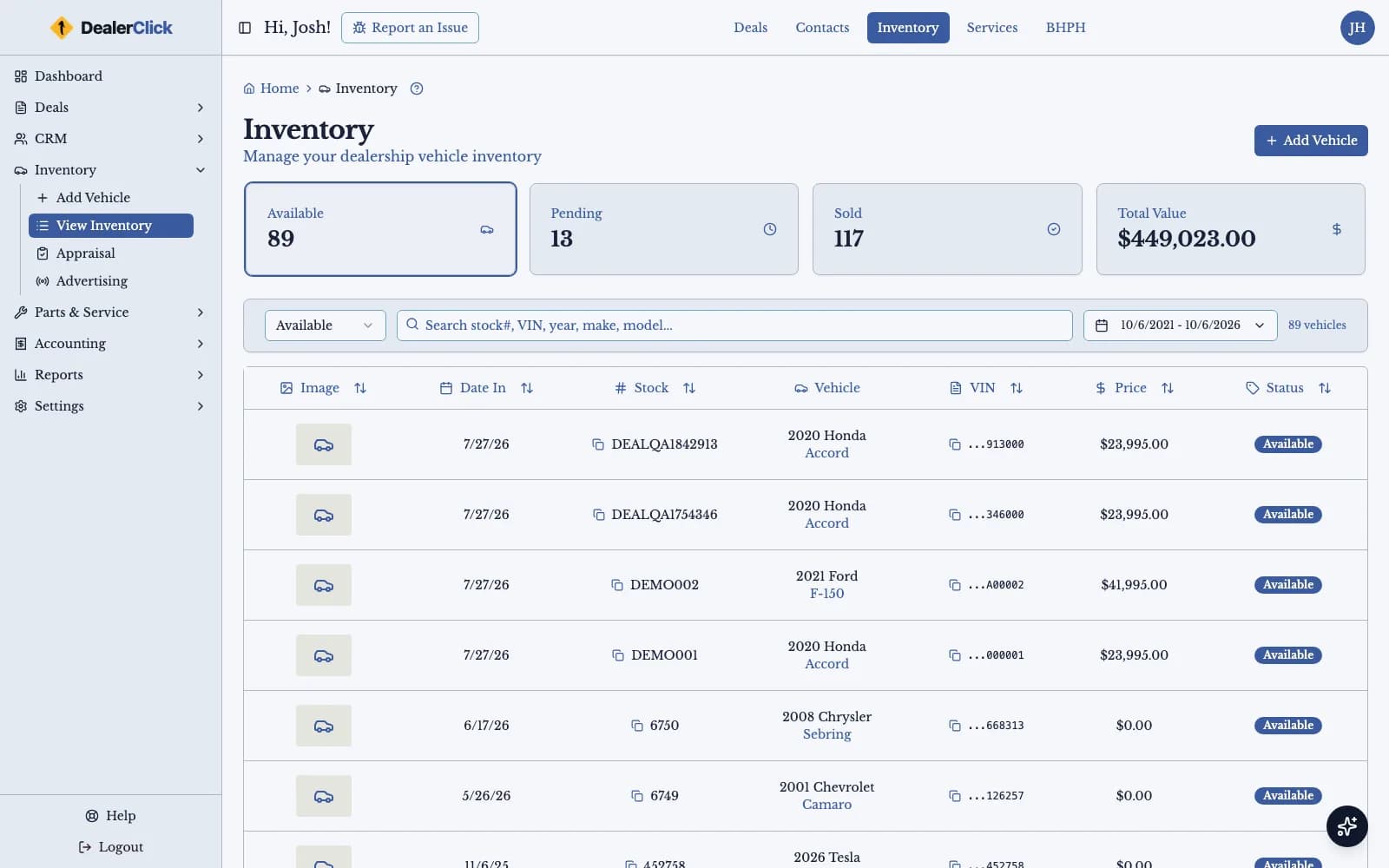
Inventory Management: Add, Decode, Cost and Value
Add a unit by VIN decode, record reconditioning and other costs against it, attach photos, and check KBB and MMR values from the vehicle record. When a unit is ready, choose which advertising feeds it goes to, including AutoTrader, Cars.com, CarGurus, Facebook and Craigslist.
Forms, eContracts and E-Sign From the Deal
Generate the paperwork for a deal from the data already on it, group the documents you always print together into form packs, email them to the customer, and collect signatures electronically. The same forms engine produces deal paperwork and reports.
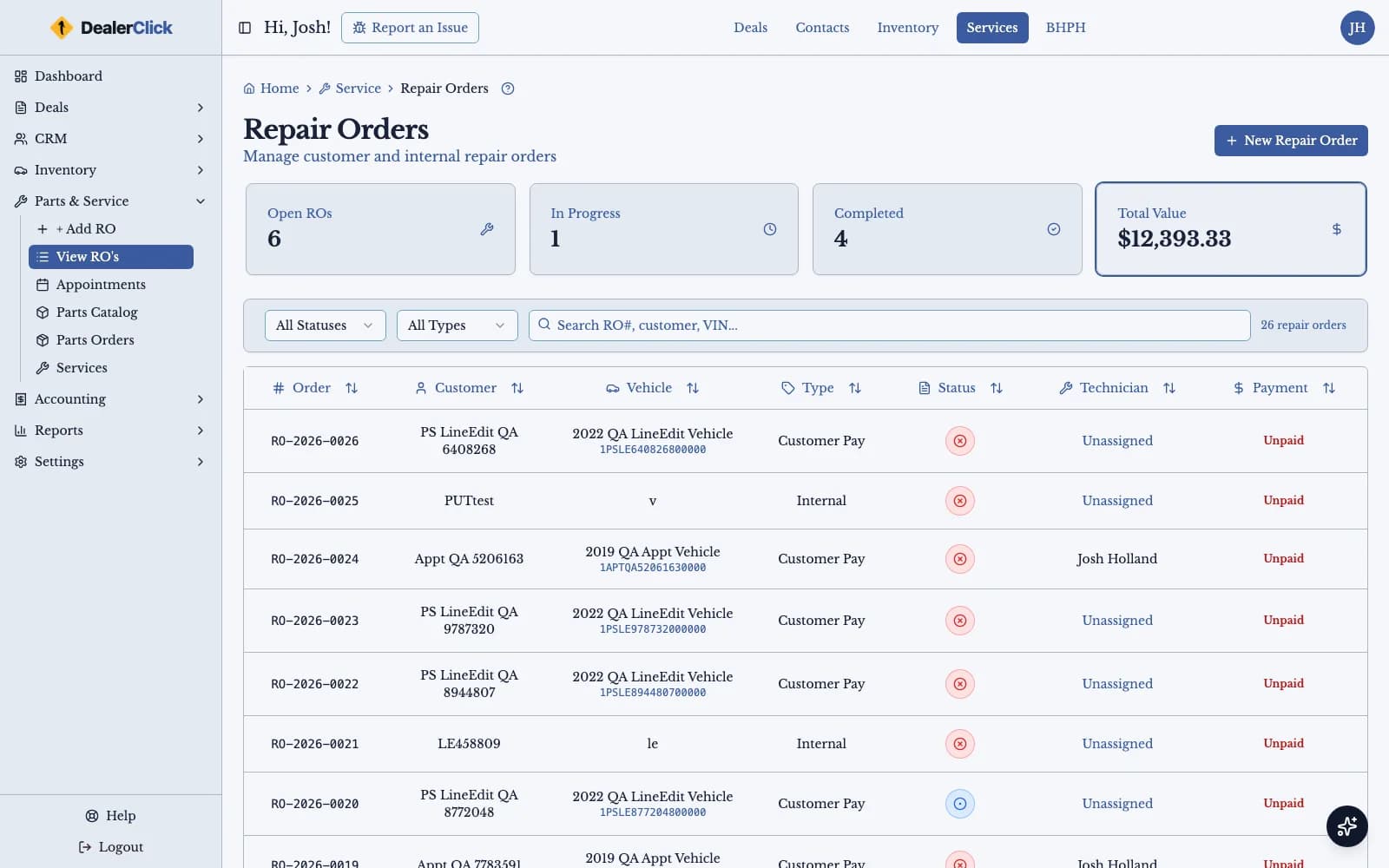
Parts & Service Built Into the DMS
Open repair orders, look up and order parts, set up labor operations, and schedule work on the service calendar without leaving DealerClick. Recon work, service jobs and parts orders live in the same system as the vehicles and deals they belong to.
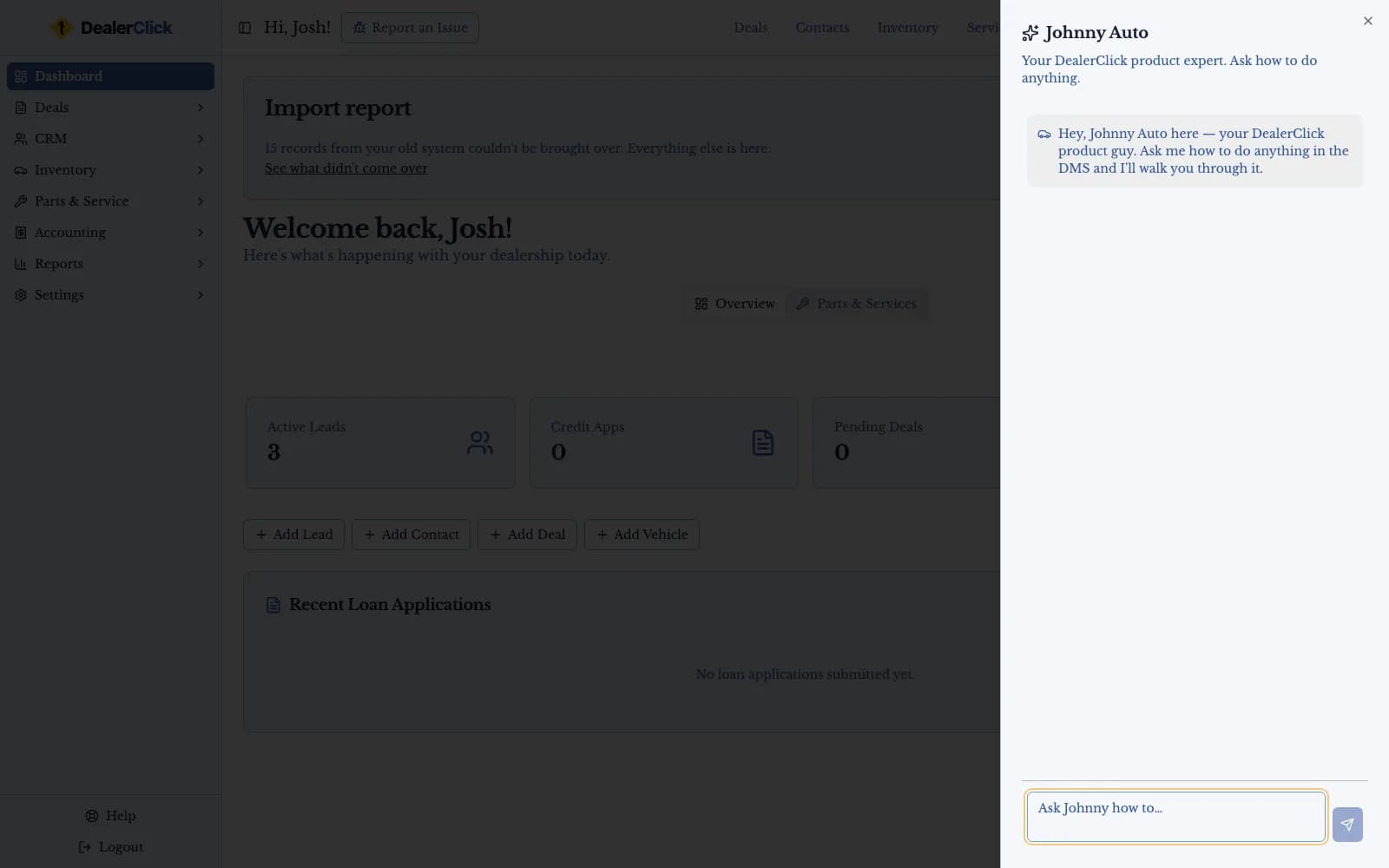
Johnny Auto: Product and How-To Help in the App
Johnny Auto is the AI assistant built into DealerClick. Open the chat from any screen to ask how a feature works or where a setting lives, and get an answer without leaving the deal you are working. Johnny Auto usage is billed from a prepaid balance on your account.
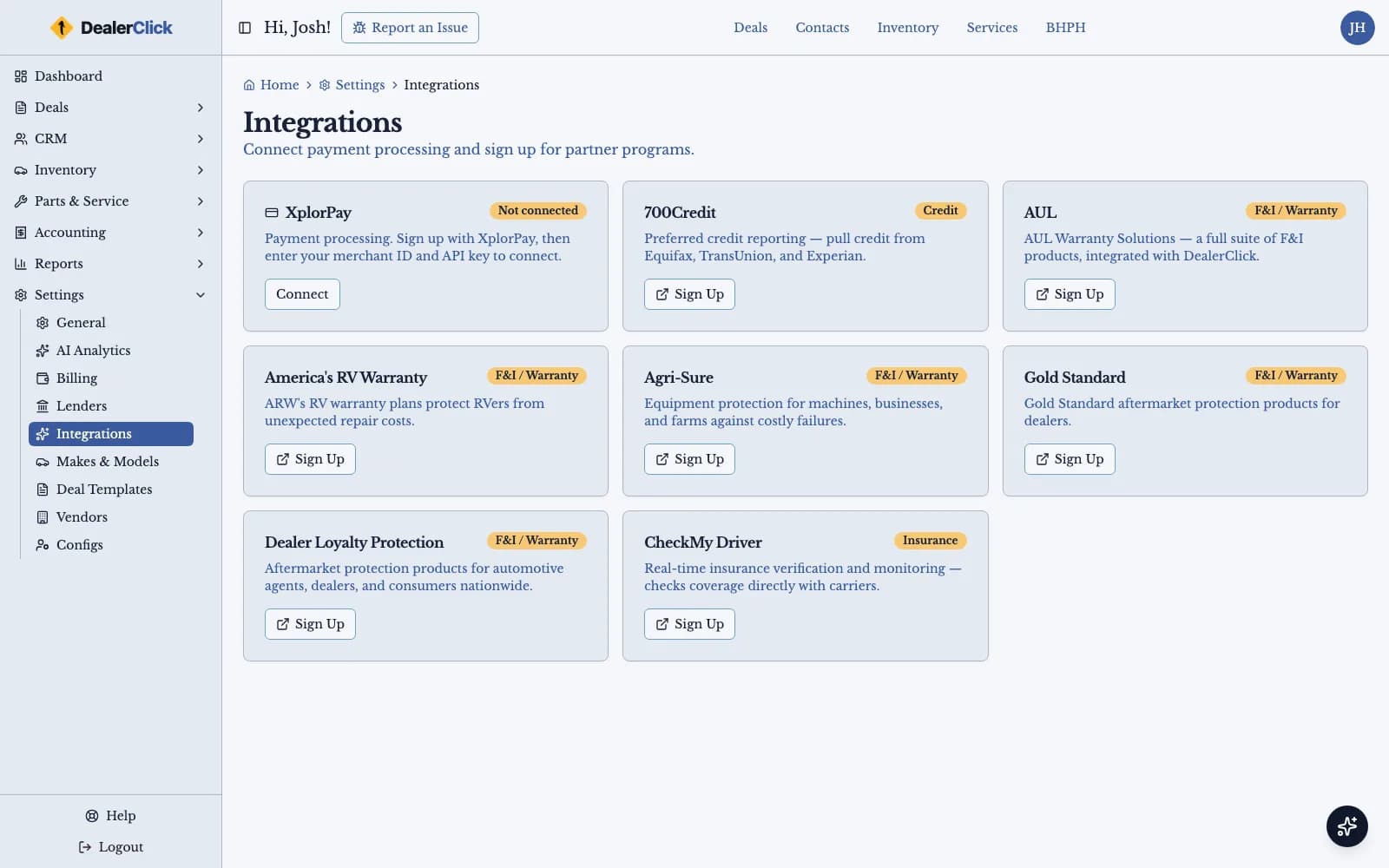
Titling, Temp Tags and Lender Submission From the Deal
File title and registration paperwork and issue temp tags through DealerClick's FairFax titling integration and state DMV e-filing, using the customer and vehicle data already on the deal. On financed deals, submit the credit application electronically to lenders through RouteOne, DealerTrack and CUDL, or use DealerClick's LoanOffer flow, which reaches up to 800 lenders.
A Dealer Management System Built for Independent Operators
A DMS Built for Independent Operators, Not Franchise Overhead
DealerClick is a cloud-based dealer management system built for independent dealerships. Inventory, deal desking, forms and e-sign, CRM, account servicing, reports and Parts & Service live in one web app instead of a set of separate tools that each hold their own copy of a customer or a vehicle. There is no server to buy or keep running in the back office: the dealership signs in from a browser, and the same screens work on a laptop at the desk, a tablet on the lot, or a phone.
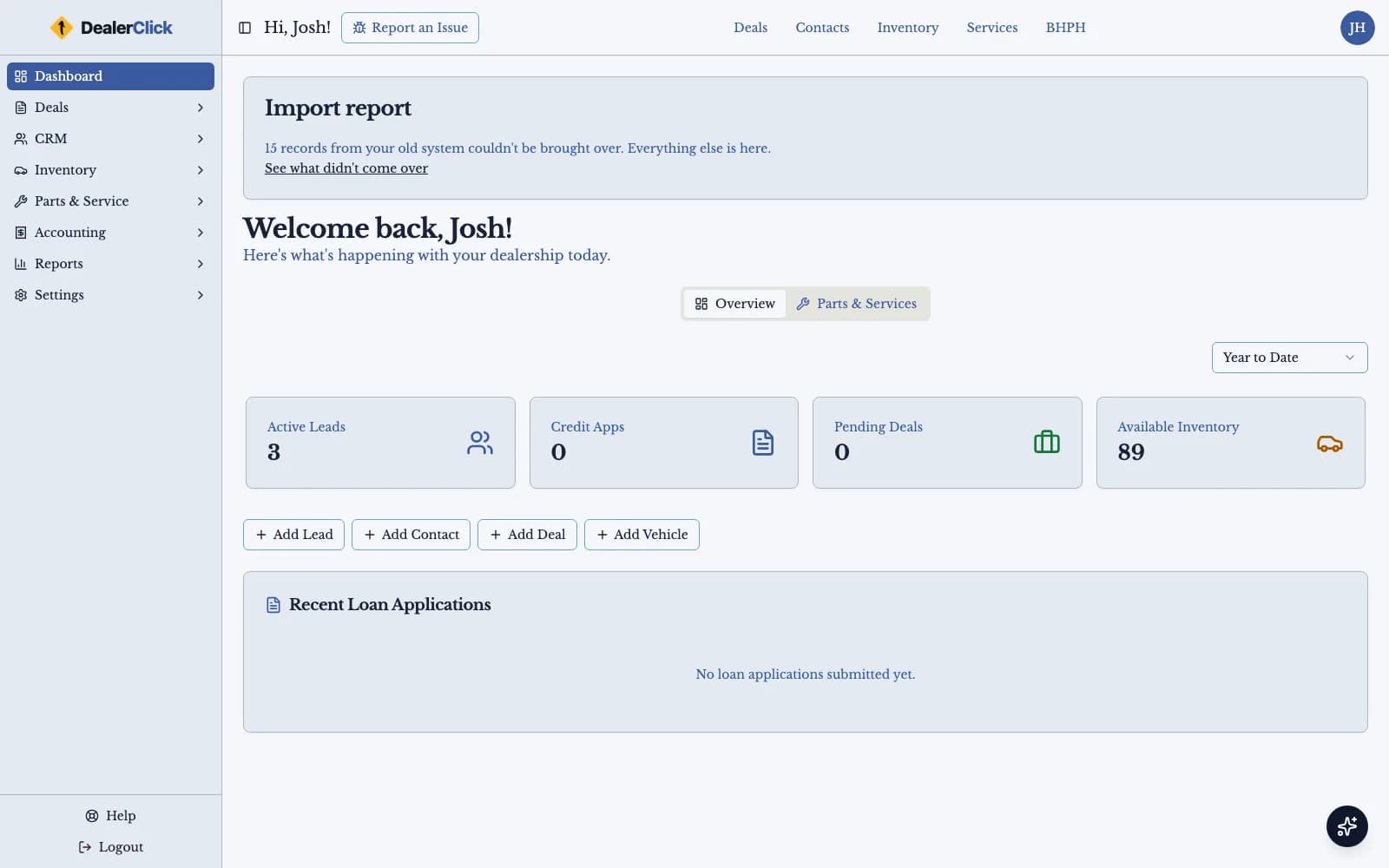
The home dashboard is the first thing a dealer sees after signing in, a tabbed overview of what is happening across the store, and every module is one click away from it. A single-rooftop independent dealer gets the whole platform rather than a base package with the pieces they actually use sold back to them one at a time.
Desking and F&I on One Screen
The desking screen shows the vehicle, the trade, the down payment and the financing terms together, so a salesperson works the deal and sees where it lands before the customer does. DealerClick desks retail, cash, wholesale, buy here pay here, lease and rent-to-own deals in the same module. Lease deals use money factor and residual math, and the deal math is checked to the cent, so the numbers on the screen are the numbers on the paperwork.
F&I lives on the same deal. The dealership keeps its lender list in DealerClick, submits credit applications electronically through RouteOne, DealerTrack and CUDL, and tracks each submitted loan against the deal it belongs to, so the desk can see where every financed deal stands without a separate spreadsheet. DealerClick's LoanOffer flow reaches up to 800 lenders. When the deal is done, the forms engine generates the paperwork from the data already on it, groups recurring documents into form packs, emails them to the customer, and collects signatures electronically.
Titling and temp tags come from the same deal. DealerClick files title and registration paperwork and issues temporary tags through its FairFax titling integration and state DMV e-filing, filled from the customer and vehicle data the deal already holds, so nobody retypes a buyer's name or a VIN onto a separate DMV form.
Inventory, Parts & Service, and Reports in the Same System
Inventory starts with a VIN decode, which fills in the vehicle details, and each unit carries its reconditioning and other costs, its photos, and its KBB and MMR values. Carfax and AutoCheck history reports and trade-in appraisals sit on the same records, and the dealer chooses which vehicles go to each advertising feed, including AutoTrader, Cars.com, CarGurus, Facebook and Craigslist.
Parts & Service is part of the same platform: repair orders, parts and parts orders, labor operations, and a service calendar, so recon work and service jobs are tracked next to the vehicles and customers they belong to. The reports hub turns all of it into reports you can save as PDF, print, or export to Excel, and Johnny Auto, the AI assistant built into DealerClick, answers product and how-to questions from any screen. Johnny Auto usage is billed from a prepaid balance.
If You Are Looking for Used-Car-Specific Tools
This page covers DealerClick as a dealer management system — the platform of record for desking, inventory, paperwork, servicing and reporting across a dealership. If what you actually need is the pricing, reconditioning and advertising workflow of a pre-owned-only lot, see our used car dealer software page, which goes deeper on that day-to-day inventory workflow.
DealerClick vs. DealerCenter and Frazer for Independent Dealers
| DealerClick | DealerCenter | Frazer | |
|---|---|---|---|
| Core desking and deal paperwork | Included in the base package: DMS $99/mo per rooftop, month to month | Base DMS $99/mo | Included in Desktop/Hosted pricing |
| CRM | CRM Plus $99/mo / CRM Pro $199/mo, sold separately | CRM Plus $99 / Pro $199, sold separately | Not listed in the published bundle (BHPH, accounting, forms, ad syndication) |
| Accounting | Accounting $99/mo module on top of the DMS | Accounting +$99 on top of the base DMS | Bundled into Desktop/Hosted pricing |
| Reconditioning and service bay tracking | Recon costs on the vehicle record are in the DMS; Reconditioning $99/mo and Service Bay $99/mo, each a module on top of it | Recon +$99, Service Bay +$99, each billed separately | Not offered as a named module |
| Dealer website | Premium website $99/mo / Premium Pro website $125/mo, sold separately | Website add-on $99–$125, sold separately | Not listed in the published bundle (BHPH, accounting, forms, ad syndication) |
DealerClick brings in KBB and MMR valuations and sends the vehicles you choose to advertising feeds such as CarGurus, Facebook and Craigslist.
Auto Dealer Software for Enhanced Efficiency
Start every day on the DealerClick dashboard, a tabbed overview of the store, and move from there into deals, inventory, CRM, reports and service without switching systems.
Frequently Asked Questions
Start Getting The Benefits of A Powerful and Simple DMS System
Switching to a better dealer management system (DMS) starts with a conversation. Schedule a one-on-one demo for you and your team, and we will show you DealerClick on the deals and inventory you work every day.