
Advanced Auto Dealer Leasing Software
DealerClick desks a retail lease from its money factor and residual, generates the paperwork for e-signature, and tracks every lease sent to a lender, all in one cloud-based system.
Comprehensive Leasing Software for Efficient Dealerships
In DealerClick a lease is a deal type like any other: desked from money factor and residual, quoted step by step, papered with e-sign, and tracked once it is submitted to a lender.

Retail Lease Math, Desked in DealerClick
Desk a retail lease from its money factor and residual on the same screen used for every other deal type. DealerClick's deal math has been checked to the cent across 436 test scenarios, so the payment on the desk is the payment on the contract.
Build a Lease Quote Step by Step
The Quote Wizard builds a customer quote one step at a time, so a salesperson can put a lease in front of a customer without working the numbers out by hand.
A Lender List and Submitted-Deal Tracking
Submit credit applications to lenders electronically through RouteOne, DealerTrack and CUDL, keep the lenders you work with in one lender list, and track each deal submitted to them, so the desk knows where every lease stands after it leaves the building.
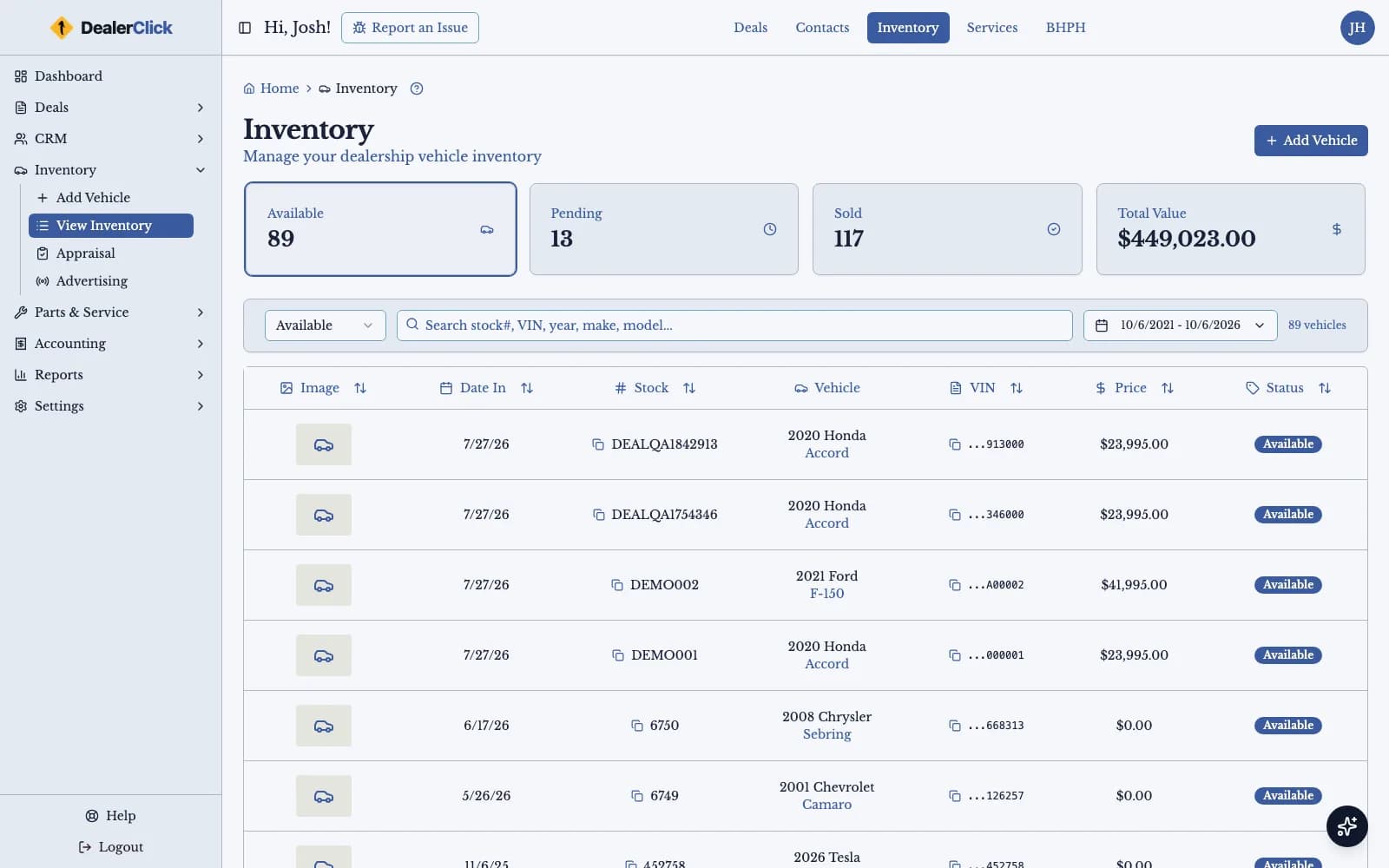
Inventory With VIN Decode, Costs and Photos
Add each vehicle by VIN, track reconditioning and other costs, and attach photos, with Carfax and AutoCheck history reports on the same vehicle record.
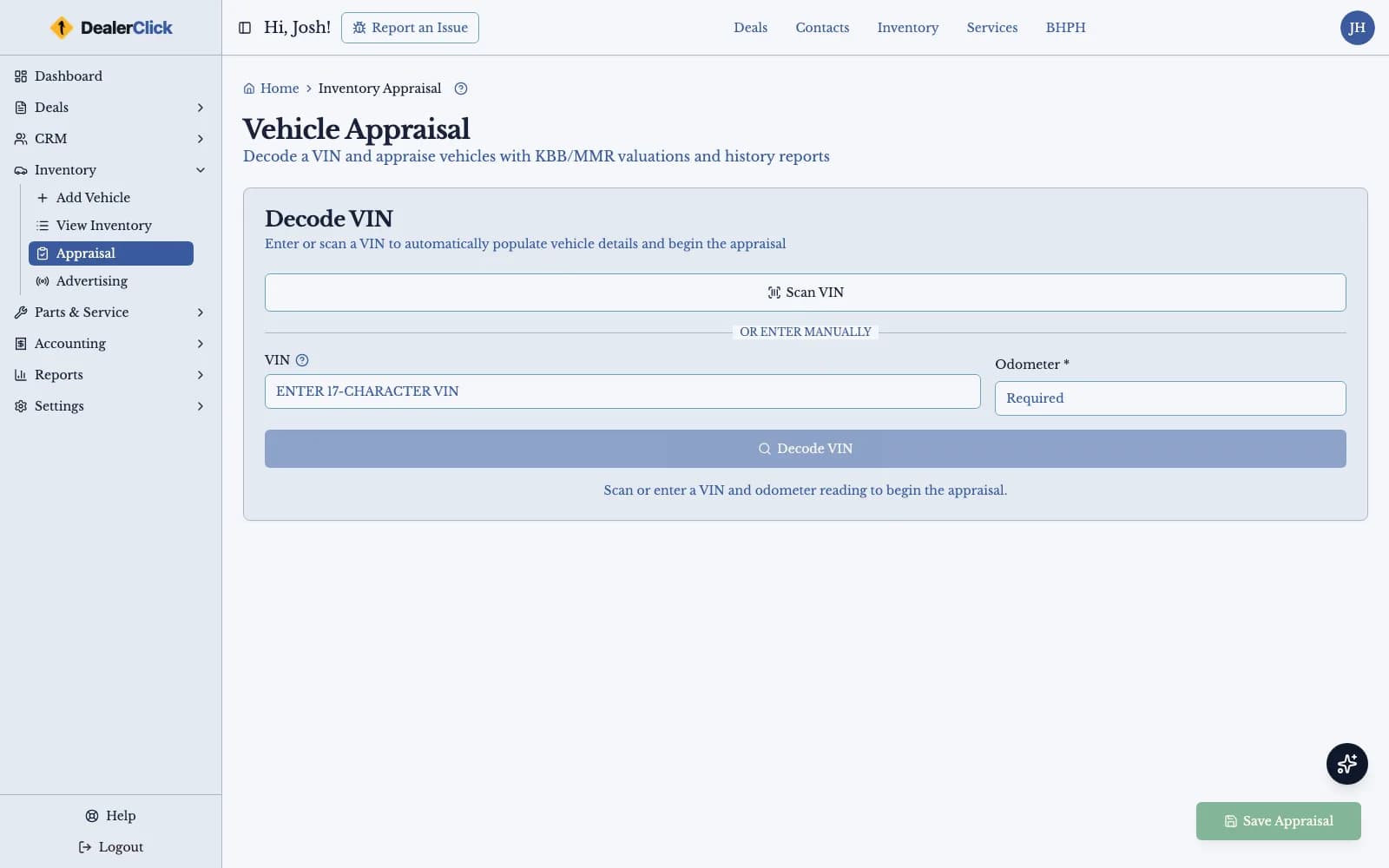
KBB and MMR Values and Trade-In Appraisal
Value a vehicle against KBB and MMR and record a trade-in appraisal before the lease is desked, so residual and trade figures start from a recognized valuation.
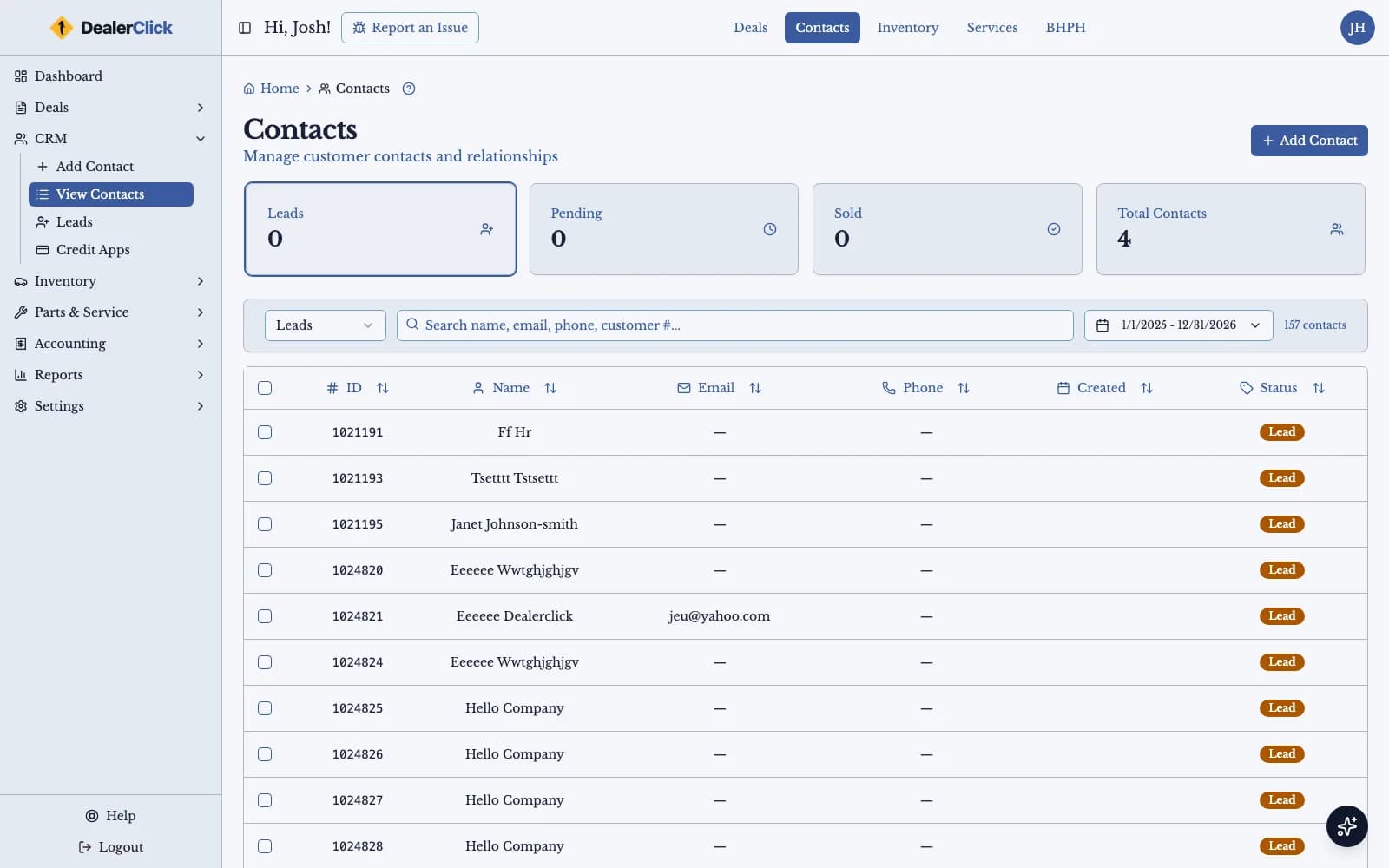
Contacts and Leads for Leasing Dealerships
Keep every customer and lead in one contact list, assign leads to a rep, and follow up with text and email templates, scheduled sends and bulk sends.
What Auto Dealer Leasing Software Actually Runs
Money Factor, Residual Value and the Retail Lease Math
Conventional retail leasing runs on different math from an in-house sale. A lease payment depends on the vehicle's residual value at the end of the term and on the money factor, the lease's equivalent of an interest rate, and a small error in either one shows up on every payment the customer makes. DealerClick handles that math in desking, where lease is a deal type next to retail, buy here pay here, rent-to-own, wholesale and cash.
The math behind DealerClick's desking has been checked to the cent across 436 test scenarios. For a desk manager that means the lease payment on the screen is the one that prints on the contract, and the figure the customer hears at the desk does not change between the quote and the signature. For a salesperson who does not desk leases every day, the Quote Wizard builds a customer quote step by step, so a lease can go in front of a customer without someone working the numbers out on paper.
The Lender List and Submitted-Deal Tracking
Most retail leases are funded by a lender rather than carried by the dealership, so the deal is not finished when the customer signs. DealerClick submits the credit application electronically through RouteOne, DealerTrack and CUDL, keeps the lenders a dealership works with in one lender list, and tracks each loan or lease submitted to them. The desk can see which deals are out with which lender and where each one stands, without a whiteboard or a spreadsheet kept on the side.
Keeping submissions in the same system as the deal also means fewer places for a number to drift. The lease that was desked is the lease that was submitted, and the record of where it went stays attached to the deal for anyone who picks it up later.
Lease Paperwork, eContracts and E-Sign
A lease generates more paperwork than a cash sale, and retyping it is where errors creep in. DealerClick's forms and eContracts generate the documents from the deal's own fields, group them into form packs so the full set goes out together, and send them to the customer to e-sign. The same forms engine produces deal paperwork across every deal type, so a dealership that leases and sells keeps one way of papering a deal.
E-signature also changes how a lease closes. A customer who has agreed to terms at the desk can sign from wherever they are, and the signed documents come back to the deal they belong to, so the finance office is not chasing a missing page before the lease can be submitted to the lender.
Vehicles, Valuations and Trade-Ins
A retail lease starts with the right vehicle and a defensible value for it. DealerClick's inventory adds a vehicle by VIN decode, tracks reconditioning and other costs against it, and holds its photos, with Carfax and AutoCheck history reports on the same record. Vehicle values come from KBB and MMR, which gives the desk a recognized starting point when it is setting a residual or weighing a trade.
Many lease customers arrive with a vehicle to trade. DealerClick records the trade-in appraisal alongside the vehicle's valuations, so the trade figure on the lease comes from the same place as every other number in the deal rather than from a separate tool.
Customers, Follow-Up and Reports
Lease customers come back, and the dealership that keeps track of them gets the next deal. Customers and leads live in DealerClick's contact list, where a lead can be assigned to a rep and the team can follow up with text and email templates, scheduled sends and bulk sends.
DealerClick's reports hub produces dealer reports as PDF, for print or as Excel files, and the dashboard is the first screen a dealer sees after signing in. DealerClick is cloud-based and runs in a web browser, and its screens work on a phone or tablet as well as a desktop, so the desk, the sales floor and the owner all work from the same system. When a staff member needs help finding a screen, Johnny Auto, the assistant built into DealerClick, answers product and how-to questions in a chat panel; its AI usage is billed from a prepaid balance.
Not Every Buyer Fits a Retail Lease
A lender-funded retail lease is not the only way to put a customer in a vehicle without a traditional bank loan. Two other DealerClick products cover the finance models retail leasing does not.
Finance Models Neither Competitor Publishes
| DealerClick | DealerCenter | Frazer | |
|---|---|---|---|
| Lease-here-pay-here (in-house lease, dealer keeps the title) | Yes — in-house lease is a deal type and an account-servicing variant in the same DealerClick system | Not observed on the vendor's own site or sitemap (retrieved 2026-09-18) | Not observed on the vendor's own site or sitemap (retrieved 2026-09-18) |
| Rent-to-own (rental-purchase) | Yes — rent-to-own is a deal type and an account-servicing variant in the same DealerClick system | Not observed on the vendor's own site or sitemap (retrieved 2026-09-18) | Not observed on the vendor's own site or sitemap (retrieved 2026-09-18) |
Vehicle values in DealerClick come from KBB and MMR, so residual and trade-in figures start from a recognized valuation.
Optimized Leasing Dealer Software for Maximum Efficiency
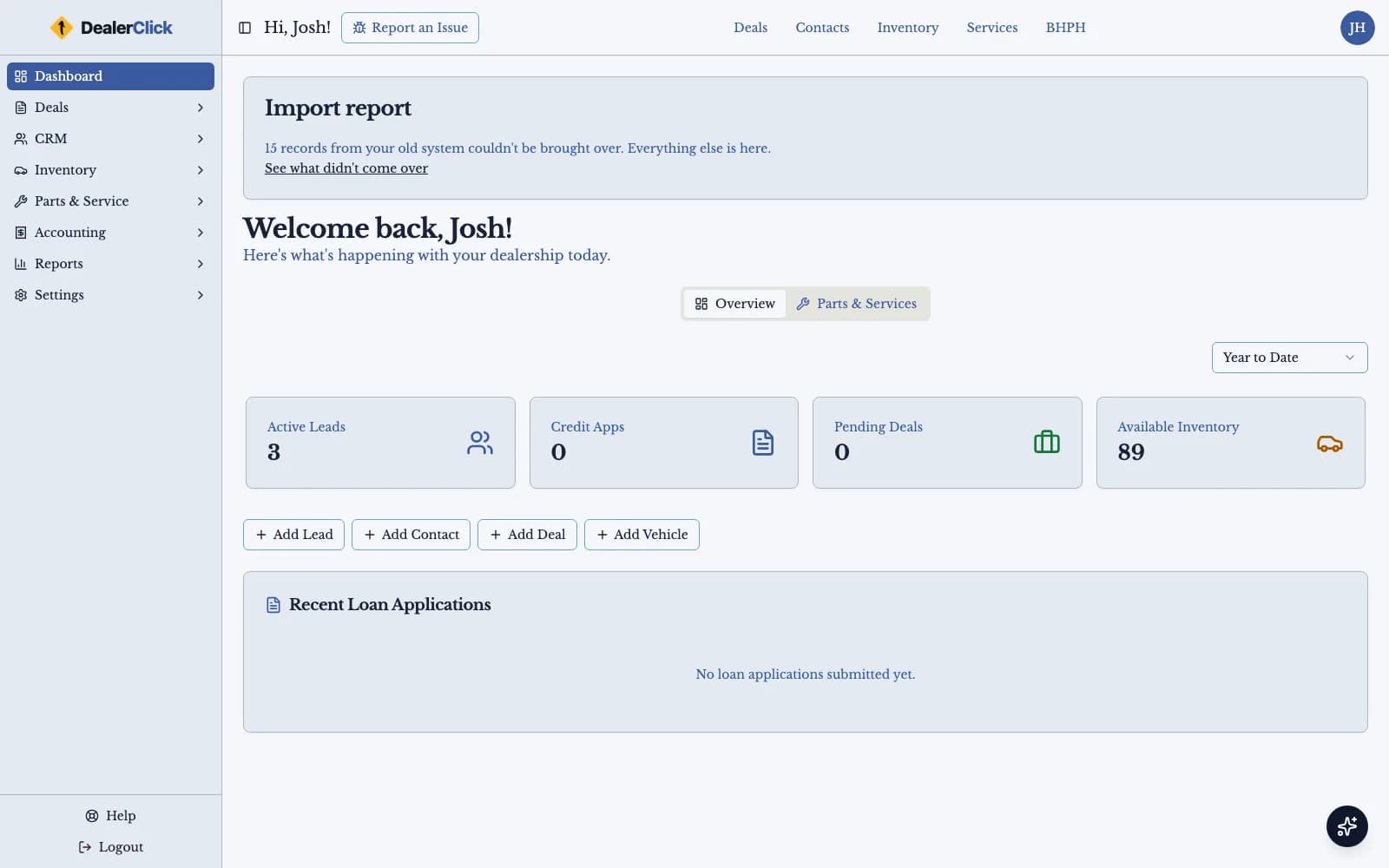
The DealerClick dashboard is the first screen a dealer sees after signing in, and every lease deal, lender submission and vehicle is a click away from it, on a desktop, a tablet or a phone.
Frequently Asked Questions
Explore the Strength of Our Leasing DMS Platform
See a retail lease desked from money factor and residual, papered for e-signature and tracked to its lender in DealerClick. Schedule a personalized demo and bring your own deal.