
Comprehensive LHPH Management Software Solutions
DealerClick runs a lease here pay here dealership in one cloud-based system: desk the in-house lease, post its payments, and take each lease account through to the end of its term.
Cloud-Based LHPH Software for Modern Dealerships
In DealerClick, lease is both a deal type and an account-servicing variant, so the in-house lease you desk is the lease account your office services, from the first payment to the lease-end wizard.

In-House Lease Deals Desked Like Any Other Deal
Lease is a deal type in DealerClick desking, next to buy here pay here, rent-to-own, retail, wholesale and cash. An LHPH deal is structured on the same screen as every other deal the dealership writes, with deal math checked to the cent.
Lease Payments Posted and Receipted on the Account
A signed lease becomes a lease account in DealerClick. Staff post each cash or check payment to it and issue a receipt, and a payment keyed in error can be voided or edited so the account stays accurate.
Lease Accounts Serviced Through to the Lease-End Wizard
Lease accounts are serviced in the same accounts module as BHPH accounts, with late fees, status changes and collections on the account, and a lease-end wizard that takes each lease through the end of its term.
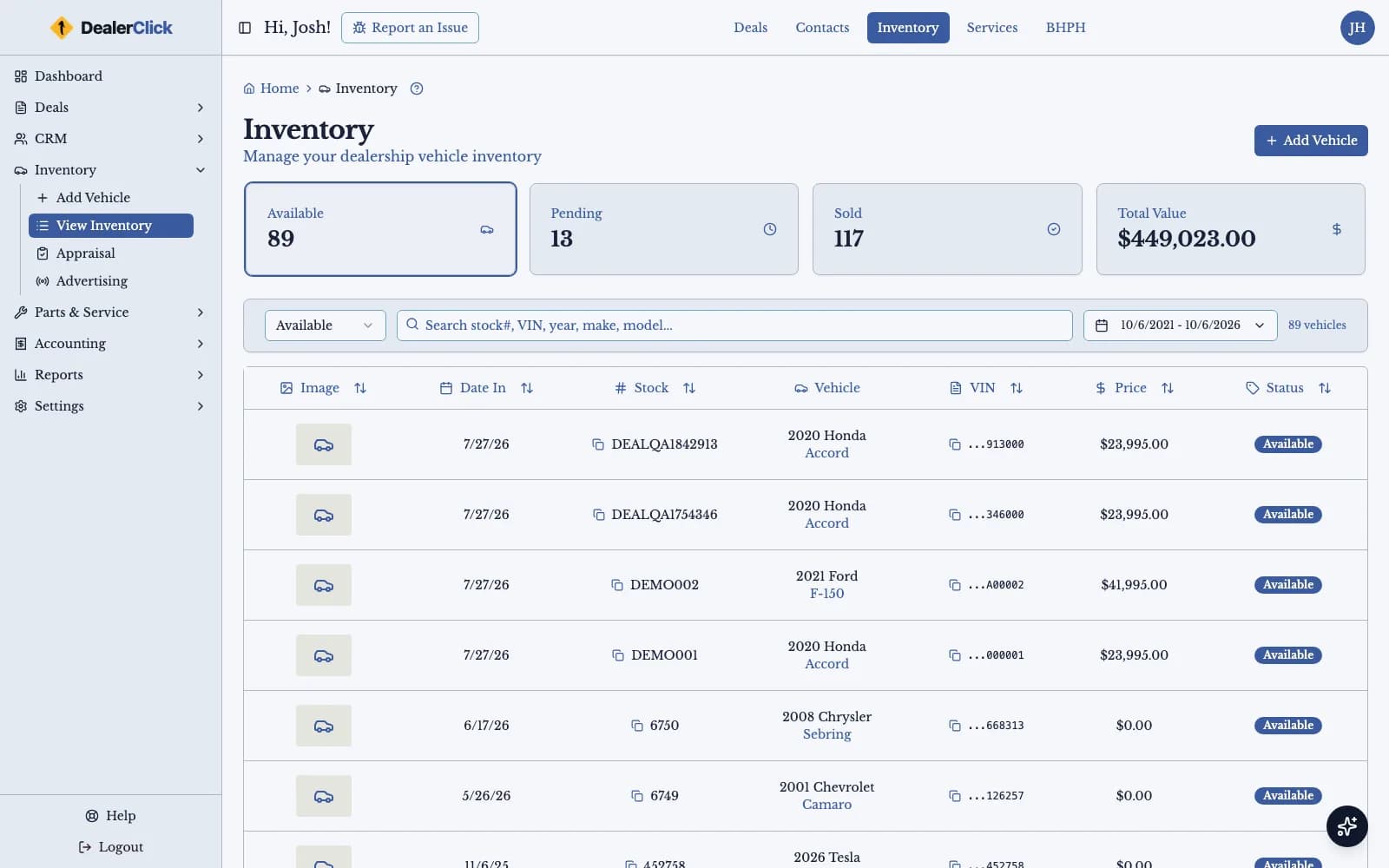
Inventory Built for Cars You Keep Title To
Add each vehicle by VIN, track reconditioning and other costs, attach photos, and check its value against KBB and MMR. Carfax and AutoCheck history reports sit on the same vehicle record.
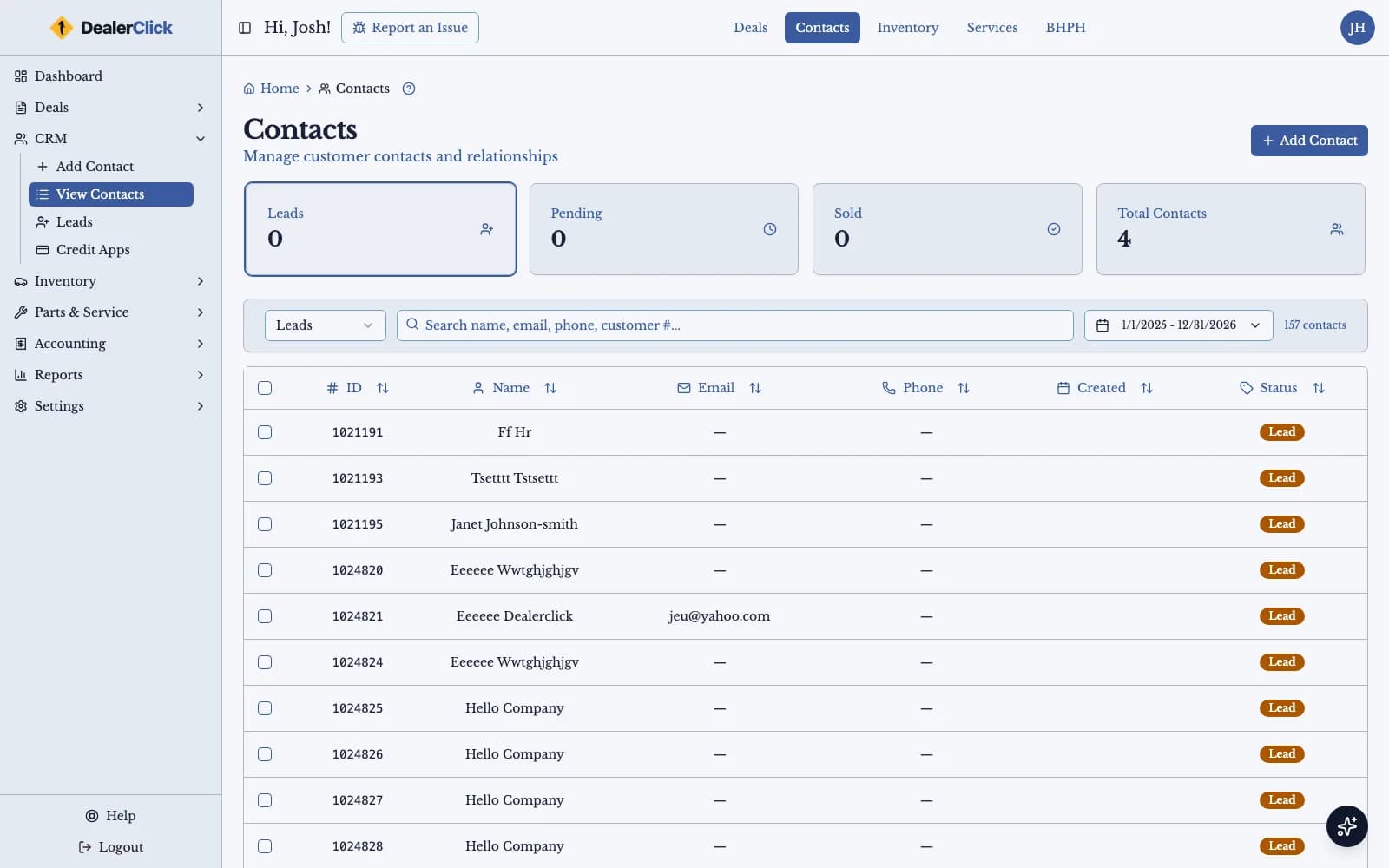
Contacts and Leads for LHPH Dealerships
Keep every lessee and lead in one contact list, assign leads to a rep, and follow up with text and email templates, scheduled sends and bulk sends.
Lease Paperwork, eContracts and E-Sign
Generate the lease paperwork from the deal itself, group documents into form packs, and send them to the customer to e-sign, so the contract matches the deal on the desk.
What Lease Here Pay Here Software Actually Runs
In-House Leasing, Not a Sale: How LHPH Differs From BHPH
Lease-here-pay-here keeps the dealership's name on the title for the life of the contract; buy-here-pay-here sells the vehicle and finances the balance, with title passing to the customer once the loan is paid off. That difference shapes everything after the deal is signed, from what the payments represent to what happens when the term runs out.
DealerClick handles both models and keeps them apart. Lease and buy here pay here are separate deal types in desking, and their accounts are separate variants in the same accounts module, so an LHPH lease keeps its own structure instead of being forced through a BHPH sale workflow. A dealership that runs both does it in one system, with one customer record behind each contract.
Desking an In-House Lease
Every LHPH account starts as a deal. In DealerClick a salesperson picks lease as the deal type and structures it on the same desking screen used for retail, buy here pay here, rent-to-own, wholesale and cash deals. The deal math behind desking has been checked to the cent across 436 test scenarios, so the payment on the desk is the payment the customer signs for.
The lease paperwork comes from the deal itself. DealerClick's forms and eContracts generate the documents from the deal's fields, group them into form packs, and send them to the customer to e-sign, so nobody re-keys the terms into a separate document and the contract matches the numbers the customer agreed to.
Servicing Lease Accounts Week to Week
Once the lease is signed it becomes a lease account, serviced in the same accounts module DealerClick uses for buy here pay here. Staff post a cash or check payment at the counter and issue a receipt, and the account updates as soon as the payment posts. A payment posted to the wrong account can be voided, and one posted with the wrong amount can be edited, so the record stays the one place to look when a customer asks what they have paid.
Late fees are assessed on the account and kept with its payment record. Each lease account carries a status, and as an account moves from current to delinquent or into collections the change is recorded on the account, so the front counter and the collector see the same picture of every lessee.
The Lease-End Wizard
The end of an in-house lease is a different event from the payoff of a loan, and DealerClick treats it that way. A lease-end wizard takes the lease account through the end of its term step by step, so closing out a lease follows the same path every time and does not depend on one person remembering how it was done last time.
Because the wizard works on the same lease account that holds the deal, the payments and the status history, the person closing out a lease has the whole contract in front of them. Nothing has to be pulled from a second system or a paper file before the lease can be closed out properly.
Some lessees end the contract by owning the vehicle. Because the dealership has held the title for the whole term, that title has to move to the customer, and DealerClick handles the title transfer when a lease converts to ownership, so the change of owner is part of closing out the lease and not a separate trip to the DMV.
GPS and Insurance Details on a Vehicle You Still Own
A dealership that still holds title on a leased vehicle has more reason than most to know where the vehicle is and whether it is insured. DealerClick records the GPS device details and the customer's insurance information on the account, next to the payment record, so whoever is working a lease account can see both without opening another system.
Inventory and Contacts in the Same System
The vehicles an LHPH dealer leases come from the same inventory as everything else on the lot. DealerClick adds a vehicle by VIN decode, tracks reconditioning and other costs, holds its photos, and shows its KBB and MMR values and its Carfax or AutoCheck history. Lessees and leads live in the contact list, where leads can be assigned to a rep and followed up with text and email templates, scheduled sends and bulk sends.
DealerClick is cloud-based and runs in a web browser, and its screens work on a phone or tablet as well as a desktop, so a lease payment can be posted or an account checked from wherever the team is working.
In-House Leasing Isn't the Only Option Here
LHPH is built for a buyer who needs the dealership to hold the title through the payment term. Two other DealerClick products cover buyers who fit a different finance model.
Go Deeper on Running an LHPH Portfolio
These cover the day-to-day decisions an LHPH operation runs into once the DMS is set up, from underwriting, inventory and collections to the numbers that predict whether a portfolio is actually profitable.
- how LHPH underwriting differs from BHPH
- choosing vehicles that survive frequent turns
- running LHPH payment operations and reminders
- document control for LHPH contracts
- downtime math and recon ROI
- the LHPH KPIs that predict profit
- marketing LHPH without confusing customers
- the seven-step lease-end playbook
- how to start an LHPH dealership
Finance Models DealerCenter and Frazer Don't Publish
| DealerClick | DealerCenter | Frazer | |
|---|---|---|---|
| Lease-here-pay-here (in-house lease, dealer keeps the title) | Yes — lease is a deal type in DealerClick desking and an account-servicing variant with a lease-end wizard | Not observed on the vendor's own site or sitemap (retrieved 2026-09-18) | Not observed on the vendor's own site or sitemap (retrieved 2026-09-18) |
| Rent-to-own (rental-purchase) | Yes — rent-to-own is also a deal type and an account-servicing variant in the same system | Not observed on the vendor's own site or sitemap (retrieved 2026-09-18) | Not observed on the vendor's own site or sitemap (retrieved 2026-09-18) |
Vehicle values in DealerClick come from KBB and MMR, so every leased vehicle starts from a recognized valuation.
Specialized LHPH Dealer Software for Peak Efficiency
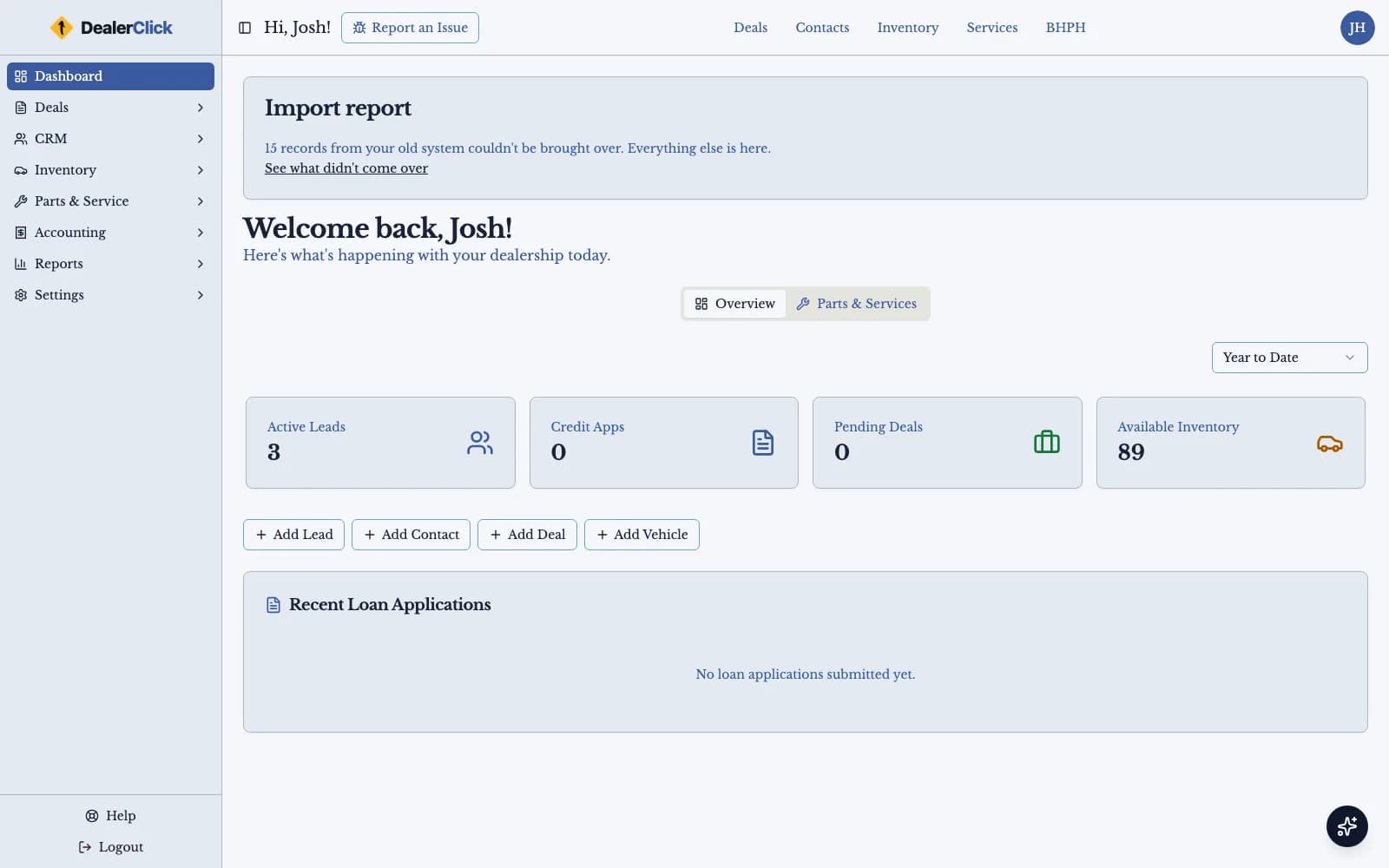
The DealerClick dashboard is the first screen a dealer sees after signing in, and every lease deal, lease account and vehicle is a click away from it, on a desktop, a tablet or a phone.
Frequently Asked Questions
Discover the Power of Our LHPH DMS Platform
See an in-house lease desked, its payments posted and its account taken through the lease-end wizard in DealerClick. Book a personalized demo and bring your own questions.